

- The Unseen Cost: Why Shopify's Digital Footprint Matters for Your Bottom Line & Brand
- Beyond Page Speed: Connecting Carbon Emissions to Core Web Vitals & SEO Rankings
- The ROI of Green SEO: How Sustainability Drives Conversion Rates & Customer Loyalty
- Regulatory Pressure & Brand Reputation: Proactive Compliance in a Green Economy
- Deconstructing Shopify's Carbon Impact: Key Areas for Technical Audit
- Server-Side Emissions: Evaluating Hosting, CDNs, and Data Center Efficiency
- Front-End Footprint: Analyzing Theme Code, Image Assets, and Script Bloat
- Third-Party App & Integration Overhead: The Hidden Energy Drain
- Data Transfer & User Interaction: Quantifying the Impact of Every Click
- The Green Tech SEO Audit Framework for Shopify: A Step-by-Step Guide
- Phase 1: Baseline Assessment – Tools & Metrics for Measuring Digital Carbon
- Phase 2: Deep Dive into Theme & Code Optimization
- Phase 3: Asset & Media Efficiency for a Lighter Load
- Phase 4: Third-Party App & Integration Rationalization
- Beyond the Audit: Implementing & Monitoring Green SEO Improvements
- Prioritizing Changes: Impact vs. Effort Matrix for Sustainable Development
- Continuous Monitoring: Integrating Carbon Metrics into Your Performance Dashboards
- Communicating Your Green Efforts: SEO-Friendly Sustainability Reporting
- Case Study Snippet: EcoChic Apparel Achieves 32% Carbon Reduction & 18% Performance Boost
- Before & After: Tangible Metrics & Business Outcomes
- Lessons Learned & Replicable Strategies
- Related Reading
The Unseen Cost: Why Shopify's Digital Footprint Matters for Your Bottom Line & Brand
The digital carbon footprint quantifies the greenhouse gas emissions attributable to internet usage, data storage, and device operation. Estimates suggest the internet's energy consumption rivals global aviation, with a single website visit contributing measurable CO2e. Reducing this footprint involves optimizing digital assets and infrastructure for efficiency.
Your Shopify Plus store, a powerhouse for e-commerce, carries an unseen environmental burden: its digital carbon footprint. This footprint, often overlooked by even the most advanced enterprise merchants, directly impacts server load, data transfer, and ultimately, your operational costs and brand perception. Ignoring it is no longer an option for businesses aiming for sustainable growth.
Shopify server digital carbon footprint
Beyond Page Speed: Connecting Carbon Emissions to Core Web Vitals & SEO Rankings
The relationship between a heavy website and poor performance is well-understood by technical SEOs. Larger file sizes, excessive HTTP requests, and inefficient code demand more data transfer and processing power. This directly translates to increased energy consumption at data centers and user devices.
This energy consumption generates carbon emissions. Google's Core Web Vitals (Largest Contentful Paint, First Input Delay, Cumulative Layout Shift) are not just arbitrary metrics; they measure user experience directly linked to a site's technical efficiency. A slower, heavier site performs poorly on these metrics, impacting SEO rankings and contributing to a larger digital carbon footprint. Optimizing for speed inherently reduces emissions.
The ROI of Green SEO: How Sustainability Drives Conversion Rates & Customer Loyalty
Consumers are increasingly making purchasing decisions based on a brand's environmental commitments. A store demonstrably committed to reducing its digital carbon footprint builds significant trust and resonates with environmentally conscious buyers. This isn't merely a marketing claim; it's a technical implementation.
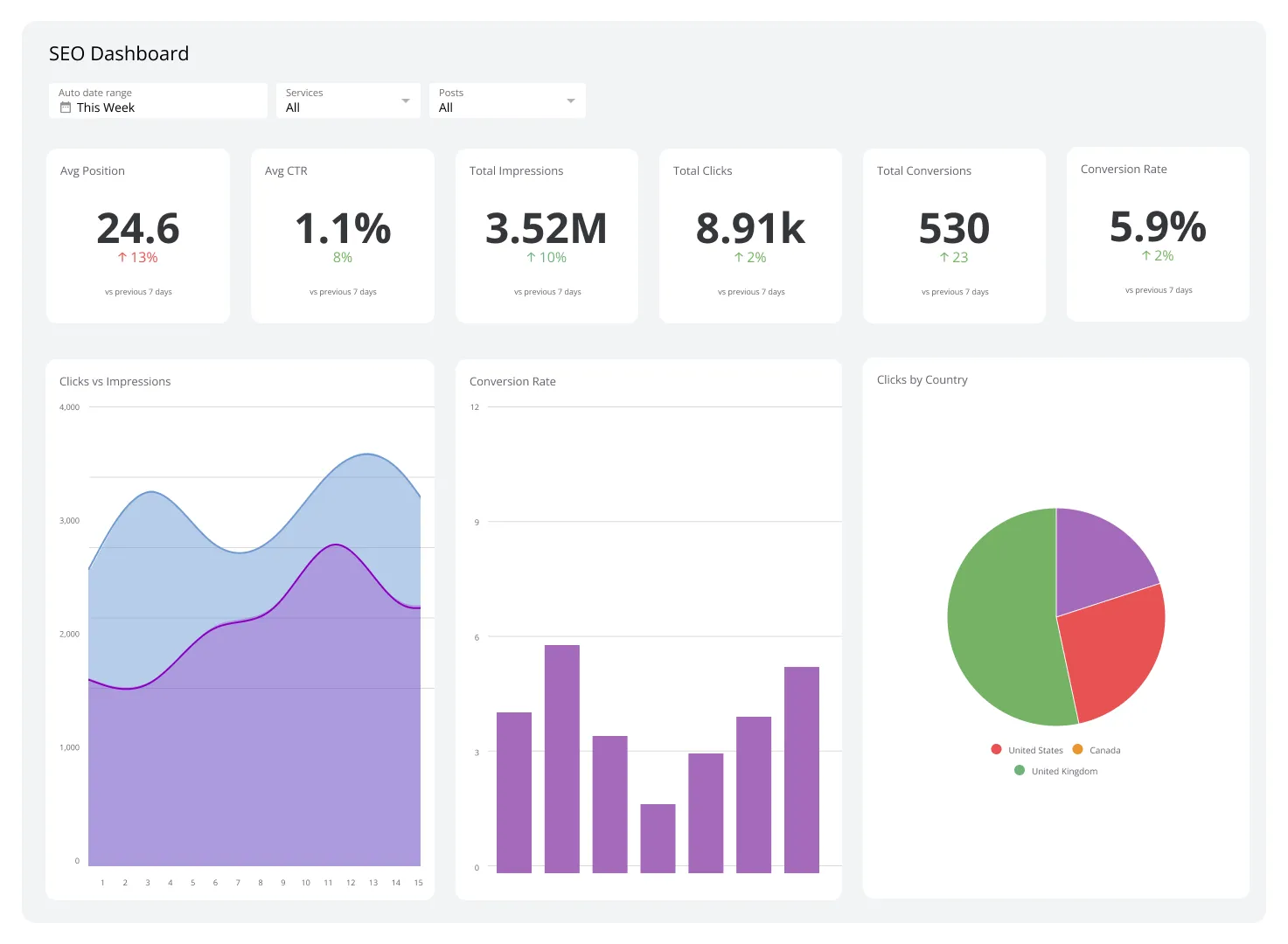 Green tech SEO audit dashboard
Faster, more efficient websites enhance user experience, leading to lower bounce rates and higher conversion rates. The tangible performance gains from Green Tech SEO initiatives directly improve your bottom line. Moreover, a robust sustainability narrative, backed by technical action, fosters deep customer loyalty and strengthens brand equity.
Regulatory Pressure & Brand Reputation: Proactive Compliance in a Green Economy
The global regulatory landscape is shifting rapidly towards greater corporate environmental accountability. Directives like the EU's Corporate Sustainability Reporting Directive (CSRD) mandate comprehensive sustainability reporting, including digital impacts. Enterprise merchants operating globally will soon face requirements to disclose their digital carbon footprint.
Proactive assessment and reduction of your Shopify store's environmental impact mitigate future compliance risks. It positions your brand as a leader, not a laggard, in the green economy. A strong reputation for sustainability can be a significant competitive differentiator, attracting talent and investment.
Deconstructing Shopify's Carbon Impact: Key Areas for Technical Audit
Understanding where your Shopify store consumes energy is the first step towards reduction. The digital footprint is a complex interplay of infrastructure, code, and user interaction. A thorough technical audit must span multiple layers of the e-commerce ecosystem.
Server-Side Emissions: Evaluating Hosting, CDNs, and Data Center Efficiency
Every time a user accesses your Shopify store, data is retrieved from servers housed in data centers. These facilities are massive energy consumers, powering servers, cooling systems, and network infrastructure. While Shopify manages its core infrastructure, understanding its energy mix and CDN strategy is crucial.
Shopify leverages global Content Delivery Networks (CDNs) like Akamai to serve assets from edge locations closer to users. While this improves speed, the efficiency and renewable energy commitments of these CDNs vary. Proximity and efficient caching directly reduce data transfer and server load, thus lowering emissions.
Front-End Footprint: Analyzing Theme Code, Image Assets, and Script Bloat
The client-side experience, directly controlled by your theme and assets, is often the largest contributor to a store's digital carbon footprint. Inefficient Liquid code, unoptimized images, excessive JavaScript, and bulky CSS all force a user's browser to download and process more data than necessary.
Each kilobyte transferred requires energy. A heavy front-end not only slows down your site but also increases the energy consumed by the user's device and the network infrastructure facilitating the transfer. This is where a significant portion of actionable reduction lies.
Third-Party App & Integration Overhead: The Hidden Energy Drain
Shopify's app ecosystem is a double-edged sword. Apps extend functionality but often introduce substantial overhead. Each installed app can inject its own JavaScript, CSS, and make additional API calls, adding to the page weight and server requests.
Many apps run constantly, even when their features are not actively used on a specific page. This "app bloat" leads to unnecessary data transfer and processing, contributing significantly to both performance degradation and carbon emissions. Identifying and rationalizing these integrations is a critical audit area.
Data Transfer & User Interaction: Quantifying the Impact of Every Click
Every interaction on your Shopify store—a page view, adding to cart, filtering products—triggers data transfer. Each HTTP request and response contributes to the overall energy consumption. The more data moved across networks, the higher the energy demand.
Minimizing unnecessary data transfer is paramount. This includes reducing the number of requests, optimizing payload sizes, and implementing smart caching strategies. Quantifying the impact of these interactions provides a clear picture of your store's energy intensity per user session.
The Green Tech SEO Audit Framework for Shopify: A Step-by-Step Guide
Implementing a Green Tech SEO audit requires a structured approach, moving from high-level assessment to granular code-level optimization. This framework provides an actionable roadmap for Shopify Plus merchants.
- Baseline Assessment: Measure your current digital carbon footprint and performance metrics.
- Theme & Code Optimization: Deep dive into your Shopify theme for efficiency improvements.
- Asset & Media Efficiency: Optimize all visual and interactive content for lighter loads.
- Third-Party App Rationalization: Streamline and optimize app integrations.
- Implementation & Monitoring: Prioritize changes, deploy, and continuously track impact.
Phase 1: Baseline Assessment – Tools & Metrics for Measuring Digital Carbon
Establishing a clear baseline is non-negotiable for any effective optimization effort. You cannot improve what you do not measure. This initial phase focuses on gathering quantitative data.
Utilizing EcoGrader, Website Carbon Calculator, & Google Lighthouse for Initial Scores
Start with readily available tools.
- Website Carbon Calculator: Provides an estimate of CO2e per page view based on data transfer. Input your key pages (homepage, product page, collection page).
- EcoGrader: Offers a more comprehensive report on website sustainability, including server efficiency and design choices.
- Google Lighthouse: An indispensable tool for performance, accessibility, SEO, and best practices. Pay close attention to performance scores, particularly Total Blocking Time (TBT) and Largest Contentful Paint (LCP), which correlate strongly with data transfer.
These tools offer different perspectives but collectively paint a picture of your current environmental and performance standing. Document these scores rigorously.
Establishing Benchmarks for Energy Consumption & Data Transfer
Beyond individual tool scores, extract raw data. Focus on metrics like:
- Total bytes transferred per page load: Use browser developer tools (Network tab) for various page types.
- Number of HTTP requests: High request counts often indicate inefficient asset loading or excessive third-party scripts.
- Energy impact per visit: Some browser extensions (e.g., Carbonalyser) can provide client-side estimates.
These benchmarks will serve as your reference points for measuring the impact of subsequent optimizations.
Phase 2: Deep Dive into Theme & Code Optimization
The core of your Shopify store's front-end performance lies in its theme code. This phase focuses on reducing the processing load and data generated by inefficient Liquid, JavaScript, and CSS. For comprehensive code improvements, consider expert Shopify Theme Optimization services.
Auditing Liquid Files for Redundancy & Inefficient Queries
Liquid, Shopify's templating language, can become a bottleneck if not optimized.
- Avoid N+1 Queries: Minimize iterating over collections within loops that trigger additional database calls. Cache data where possible.
- Use `{% render %}` over `{% include %}`: `render` provides isolated scopes, preventing variable leakage and improving maintainability.
- Conditional Loading: Only load sections and snippets when they are truly needed on a specific template.
- Remove Unused Code: Delete commented-out code, redundant snippets, and unused CSS/JS references within Liquid files.
JavaScript & CSS Minification: Beyond Basic Compression
While Shopify automatically minifies some assets, deeper optimization is often required.
- Critical CSS: Identify and inline CSS required for above-the-fold content, deferring the rest. This improves LCP.
- Tree Shaking JavaScript: Eliminate dead code from JavaScript bundles. Use modern build tools to analyze and remove unused exports.
- Defer & Async Scripts: Mark non-critical JavaScript with `defer` or `async` attributes to prevent blocking the main thread.
- CSS Purging: Tools like PurgeCSS can analyze your templates and remove unused CSS rules from your stylesheets.
Strategic Font Loading & Iconography for Reduced Requests
Fonts and icons are often overlooked but can add significant weight.
- Self-Host Fonts: Host Google Fonts or other web fonts directly on your server or CDN to reduce third-party requests.
- WOFF2 Format: Prioritize WOFF2, the most efficient font format, with fallbacks for older browsers.
- `font-display: swap`: Use this CSS property to prevent invisible text during font loading, improving perceived performance.
- SVG Iconography: Replace font icon libraries (e.g., Font Awesome) with inline SVG icons or SVG sprites for better performance and reduced requests.
Phase 3: Asset & Media Efficiency for a Lighter Load
Images and videos are typically the heaviest components of any e-commerce site. Optimizing these assets provides the most significant gains in reducing data transfer and carbon footprint.
Advanced Image Optimization: Next-Gen Formats (WebP, AVIF) & Lazy Loading Strategies
This is often the single biggest opportunity for reduction.
- Next-Gen Formats: Convert all images to WebP or AVIF. Shopify's built-in image CDN can serve WebP automatically, but ensure your theme explicitly requests it via `img_url`.
- Responsive Images: Use `srcset` and `sizes` attributes to serve appropriately sized images for different screen resolutions, preventing over-delivery.
- Native Lazy Loading: Implement `loading="lazy"` on all images below the fold. This prevents images from loading until they are needed.
- Image CDNs: Leverage Shopify's image CDN or external solutions like Cloudinary for on-the-fly optimization and format conversion.
Video Stream Optimization & Conditional Loading
Videos are data-intensive.
- Optimal Codecs: Use modern, efficient video codecs like H.264 or VP9.
- `preload="none"`: Set the `preload` attribute on video tags to `none` to prevent browsers from pre-fetching video data.
- Poster Images: Use a lightweight `poster` image for videos, which loads instantly and offers a visual cue before playback.
- Conditional Loading: Only embed video players when a user explicitly clicks to play, rather than loading them on page load.
CDN Configuration for Proximity & Energy Savings
A properly configured CDN is vital for both speed and energy efficiency.
- Edge Caching: Ensure your CDN is aggressively caching static assets (images, CSS, JS) at edge locations close to your users.
- Global Reach: For Shopify Plus stores with an international audience, verify your CDN has a strong global presence.
- HTTP/2 or HTTP/3: Ensure your CDN supports and utilizes these modern protocols for more efficient data transfer.
Phase 4: Third-Party App & Integration Rationalization
The Shopify App Store offers immense functionality, but each app comes with a performance and carbon cost. This phase is about strategic pruning and optimization.
Identifying & Removing Unused or Heavy Apps
Conduct a thorough audit of your installed apps.
- App Usage Audit: Determine if every app is actively used and provides critical functionality. Remove any that are redundant or rarely used.
- Performance Impact Analysis: Use tools like Google Lighthouse and browser developer tools (Network, Performance tabs) to identify which apps inject the most JavaScript, CSS, or make numerous requests.
- Deprecate Features: If an app's core feature is no longer critical, consider removing it.
Optimizing API Calls & Data Fetching for Efficiency
Many apps rely on external API calls.
- Batching Requests: Where possible, optimize apps to batch multiple data requests into a single API call.
- Caching API Responses: Implement client-side or server-side caching for frequently accessed, static API data.
- Reduce Polling: Minimize unnecessary frequent polling for data updates. Use webhooks where applicable.
Evaluating Alternatives: Native Shopify Features vs. External Solutions
Shopify's platform is constantly evolving, adding new native capabilities.
- Leverage Metafields: Utilize Shopify's metafields for custom data storage instead of an app that spins up its own database and UI.
- Built-in Discounts & Promotions: Explore Shopify's robust discount engine before integrating third-party promotion apps.
- Shopify Flow: For automation, Shopify Flow can often replace the need for lighter automation apps.
A strategic review of your tech stack, potentially with Shopify Plus Consulting, can identify areas where native solutions outperform external apps in terms of efficiency and cost.
Beyond the Audit: Implementing & Monitoring Green SEO Improvements
An audit is only the beginning. The real value comes from strategic implementation, continuous monitoring, and transparent communication of your efforts.
Prioritizing Changes: Impact vs. Effort Matrix for Sustainable Development
Not all optimizations are equal. Create a prioritization matrix:
- High Impact, Low Effort (Quick Wins): Implement these first. Examples include basic image lazy loading, removing unused apps, or minor CSS cleanups.
- High Impact, High Effort (Strategic Projects): Plan these for significant long-term gains. This might include a complete theme rebuild, advanced image pipeline, or migrating complex app functionalities.
- Low Impact, Low Effort: Tackle these when time permits.
- Low Impact, High Effort: Reconsider these.
Focus on changes that deliver the most significant carbon reduction and performance improvement for the effort invested.
Continuous Monitoring: Integrating Carbon Metrics into Your Performance Dashboards
Green Tech SEO is not a one-time project. Integrate carbon metrics into your existing performance monitoring.
- Automated Lighthouse Audits: Use Lighthouse CI or similar tools to run daily or weekly performance audits and track Core Web Vitals.
- Custom Reporting: Create dashboards that track data transfer, HTTP requests, and estimated CO2e per page view over time.
- Set Alerts: Configure alerts for significant increases in page weight or a drop in performance scores.
This ensures that future development and app integrations do not inadvertently increase your digital carbon footprint.
Communicating Your Green Efforts: SEO-Friendly Sustainability Reporting
Once you've made significant strides, communicate your achievements transparently. This builds trust and can be a powerful SEO signal.
- Dedicated Sustainability Page: Create a comprehensive page detailing your efforts, methodology, and results.
- Schema Markup: Utilize `EcoProduct` or `SustainableBusiness` schema markup where applicable to highlight your green initiatives to search engines.
- Blog Content & Press Releases: Share your journey, challenges, and successes. Use keywords like "sustainable e-commerce practices" and "digital carbon footprint reduction."
- Annual Reports: Include your digital carbon footprint reduction in your corporate sustainability reports.
This proactive communication strategy not only reinforces brand values but also enhances your organic visibility for sustainability-related queries.
Case Study Snippet: EcoChic Apparel Achieves 32% Carbon Reduction & 18% Performance Boost
EcoChic Apparel, a rapidly growing Shopify Plus brand specializing in sustainable fashion, faced increasing pressure to align its digital presence with its core values. Despite a modern theme, their site suffered from app bloat and unoptimized media, leading to sluggish performance and a significant digital carbon footprint.
Before & After: Tangible Metrics & Business Outcomes
A comprehensive Green Tech SEO audit revealed their average product page transferred 4.5 MB of data, generating an estimated 2.1g CO2e per visit. LCP averaged 3.8 seconds.
After implementing the framework:
- Carbon Reduction: A 32% decrease in CO2e per page view, down to 1.4g.
- Performance Boost: LCP improved by 18% to 3.1 seconds, and Total Blocking Time (TBT) dropped by 25%.
- Conversion Rate: A 7% increase in conversion rate on mobile devices, directly attributed to faster load times.
- Bounce Rate: A 12% reduction in bounce rate across the site.
- SEO Rankings: Improved visibility for long-tail keywords related to "sustainable fashion online."
The brand not only met its environmental goals but also saw a direct positive impact on its core business metrics.
Lessons Learned & Replicable Strategies
EcoChic Apparel's success highlighted several key takeaways:
- App Rationalization is Crucial: Over 40% of their initial data transfer was attributed to non-essential or inefficient third-party apps. Removing or optimizing these yielded immediate gains.
- Aggressive Image Optimization Pays Off: Implementing WebP/AVIF with robust `srcset` and `sizes` attributes dramatically reduced image payload, accounting for 60% of their data transfer reduction.
- Continuous Monitoring Prevents Regression: Integrating carbon metrics into their weekly performance reviews ensured new features or apps didn't undo their progress.
- Sustainability as a USP: Communicating their digital sustainability efforts resonated deeply with their target audience, strengthening brand loyalty and attracting new customers.
These strategies are highly replicable across any Shopify Plus store, proving that a greener web presence is achievable and profitable.
Frequently Asked Questions
What is a digital carbon footprint and why is it relevant for Shopify stores?
A digital carbon footprint quantifies the greenhouse gas emissions associated with internet usage, data storage, and device operation. For Shopify stores, this footprint is crucial because it directly impacts server load, data transfer costs, and ultimately, a brand's operational expenses and public perception. As consumers increasingly value sustainability, a high digital footprint can deter environmentally conscious buyers, while a reduced footprint can enhance brand reputation and align with corporate responsibility goals.
How does a Shopify technical SEO audit help reduce carbon emissions?
A Shopify technical SEO audit systematically identifies inefficiencies in a store's code, assets, and third-party integrations that contribute to excessive data transfer and energy consumption. By optimizing elements like Liquid code, JavaScript, CSS, and image formats, the audit reduces page weight and server requests. This not only improves site speed and Core Web Vitals, which are key SEO ranking factors, but also directly lowers the energy required for data centers and user devices to process the site, thereby cutting carbon emissions.
What specific image optimization techniques are most effective for reducing a Shopify store's carbon footprint and improving performance?
Advanced image optimization is paramount for reducing a Shopify store's digital carbon footprint and enhancing performance, as images often constitute the largest portion of page weight. The most impactful techniques involve leveraging next-generation image formats like WebP and AVIF. WebP, supported natively by Shopify's CDN, can reduce file sizes by 25-35% compared to JPEGs, while AVIF offers even greater compression. Implementing responsive images using `srcset` and `sizes` attributes ensures that browsers only download the exact image dimensions needed for a user's device, preventing unnecessary data transfer. Native lazy loading (`loading="lazy"`) is crucial for deferring the loading of off-screen images until they enter the viewport, significantly reducing initial page load times and associated energy consumption. Furthermore, utilizing Shopify's image CDN or external solutions like Cloudinary for on-the-fly optimization and format conversion automates much of this process, ensuring images are always served in the most efficient manner, leading to faster sites and lower emissions.
Can improving my Shopify store's carbon footprint really boost conversion rates?
Absolutely. Improving your Shopify store's carbon footprint is inherently linked to enhancing its technical performance. A lighter, faster website provides a superior user experience, which directly translates to lower bounce rates, increased engagement, and ultimately, higher conversion rates. Consumers are more likely to complete purchases on sites that load quickly and are easy to navigate. Additionally, transparently communicating your commitment to digital sustainability can build trust and resonate with environmentally conscious customers, influencing their purchasing decisions and fostering greater customer loyalty, further boosting CRO.

Ecommerce manager, Shopify & Shopify Plus consultant with 10+ years of experience helping enterprise brands scale their ecommerce operations. Certified Shopify Partner with 130+ successful store migrations.

![Shopify Plus: SimGym's [Deep Dive] for 20% CRO & SEO Gains](img/blog/shopify-simgym-seo-cro-deep-dive-1.webp)
