
- Beyond the Basics: Deconstructing Shopify's SEO & CRO Control Panel
- The Interplay of Admin Settings, Theme Code, and App Functionality
- Why "Hidden" Settings Matter for Scalable E-commerce Growth
- Architecting SEO Foundations: Admin Settings for Crawlability & Indexability
- Mastering `robots.txt` & `sitemap.xml` via Shopify's Backend
- Canonicalization Control: Preventing Duplicate Content Penalties
- Redirect Management: Preserving Link Equity During Migrations & Deletions
- URL Structure Optimization: Shopify's Default vs. Manual Tweaks
- Meta Title & Description Defaults: Setting the Stage for SERP Dominance
- Enhancing User Experience & Conversion: CRO-Centric Admin Adjustments
- Image Optimization Defaults: Balancing Quality and Load Speed
- Checkout Process Refinements: Minimizing Friction in the Funnel
- Customer Account Settings: Fostering Loyalty & Repeat Purchases
- Product Page Customization: Leveraging Admin Fields for Rich Snippets & Clarity
- Search & Filter Settings: Improving On-Site Navigation & Discovery
- Advanced Technical SEO Levers: Unlocking Performance & Visibility
- Structured Data Implementation: Beyond Shopify's Native JSON-LD
- Hreflang Management for International Shopify Stores
- Managing Noindex/Nofollow Directives for Specific Pages/Collections
- Shopify's Content Delivery Network (CDN) & Caching Controls
- Integrating Google Analytics 4 & Google Search Console for Deeper Insights
- The Impact of Theme & App Interactions on Admin Settings
- Identifying Conflicts: When Apps Override Native Shopify Functionality
- Best Practices for Theme Customization & Admin Synergy
- Auditing Third-Party Scripts & Their Performance Implications
- Monitoring & Iteration: Sustaining SEO & CRO Gains
- Establishing a Regular Admin Audit Checklist
- Leveraging Shopify Analytics & External Tools for Performance Tracking
- A/B Testing Admin-Driven Changes for Optimal Results
- Common Pitfalls & How to Avoid Them
- Overlooking Mobile-First Indexing Implications
- The Dangers of Uncontrolled Redirect Chains
- Neglecting User Experience in Favor of Pure SEO Metrics
- Related Reading
Beyond the Basics: Deconstructing Shopify's SEO & CRO Control Panel
As a Shopify Plus Technical Developer, I consistently encounter merchants who underestimate the strategic power residing within their Shopify admin. Beyond simple product uploads, the admin panel is a sophisticated control center for technical SEO and conversion rate optimization (CRO).
Mastering these often-overlooked settings can significantly impact crawlability, indexability, user experience, and ultimately, your bottom line. This guide delves into the actionable tweaks available directly from your Shopify backend.
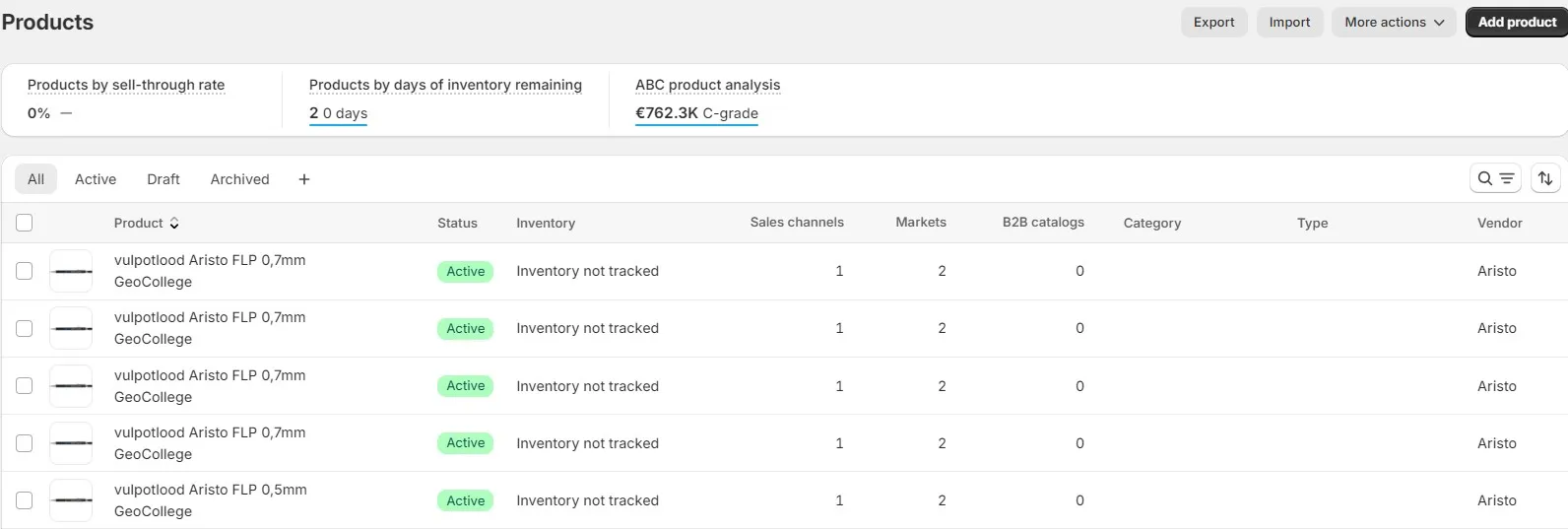
Shopify admin backend optimization interface
The Interplay of Admin Settings, Theme Code, and App Functionality
Your Shopify store's performance is a delicate ecosystem. It's an intricate dance between native admin configurations, custom Liquid theme code, and the functionalities introduced by third-party applications.
While theme customizations and app integrations offer immense flexibility, the foundational elements for technical SEO and Shopify CRO are often rooted in the admin. Understanding this hierarchy is crucial for preventing conflicts and ensuring consistent optimization.
Why "Hidden" Settings Matter for Scalable E-commerce Growth
Many critical settings are not prominently advertised but are vital for long-term store health and search engine visibility. Properly configured shopify admin settings lay a robust groundwork, reducing technical debt and reliance on complex, fragile custom code.
![Shopify conversion rate analytics dashboard - Shopify Admin Secrets: 7 SEO & CRO Tweaks [2024]](/img/blog/shopify-admin-seo-cro-2.webp) Shopify conversion rate analytics dashboard
Shopify conversion rate analytics dashboard
These native controls provide a stable, scalable approach to managing crucial aspects like URL structures, canonicalization, and meta data. Leveraging them effectively ensures your optimization efforts are sustainable as your enterprise store scales.
The core advantage of optimizing directly via Shopify's admin settings for technical SEO and CRO is the inherent stability and platform-level integration. Unlike custom code or app-driven solutions that can introduce conflicts or performance overhead, native admin controls are designed to work seamlessly within Shopify's infrastructure. These settings provide direct influence over critical SEO factors such as `robots.txt` directives, `sitemap.xml` generation, and URL canonicalization, all without requiring developer intervention for routine adjustments. For CRO, admin settings enable friction reduction in the checkout, enhance image loading, and refine product data for richer snippets. This direct, centralized control minimizes technical debt, ensures compliance with platform updates, and offers a robust, scalable foundation for enterprise merchants to achieve significant gains in organic visibility and conversion rates with minimal operational complexity.
Architecting SEO Foundations: Admin Settings for Crawlability & Indexability
Establishing a strong SEO foundation begins with ensuring search engines can efficiently crawl and index your store. Shopify's admin provides direct control over several critical elements for this purpose.
Mastering `robots.txt` & `sitemap.xml` via Shopify's Backend
- `robots.txt` Management: While Shopify manages the core `robots.txt` (accessible at yourdomain.com/robots.txt), you can add custom directives via the "Online Store" -> "Preferences" section. Look for the "Standard Custom robots.txt" field.
- Actionable Step: Use this field to `Disallow` specific paths you explicitly do not want crawled, such as internal search result pages (`/search?q=`) or certain filter combinations if they create excessive duplicate content. Be cautious; incorrect directives can deindex critical pages.
- `sitemap.xml` Control: Shopify automatically updates your sitemap (`yourdomain.com/sitemap.xml`) with new products, collections, pages, and blog posts. You cannot manually edit the sitemap file directly.
- Actionable Step: Ensure all relevant products and pages are visible and linked within your navigation. Shopify will include them in the sitemap automatically. If you have pages you don't want indexed, use `noindex` directives (discussed later) rather than trying to remove them from the sitemap.
Canonicalization Control: Preventing Duplicate Content Penalties
Duplicate content is a common SEO challenge, particularly with e-commerce filtering and sorting options. Shopify employs robust canonicalization to combat this.
- Default Canonical Tags: Shopify automatically adds canonical tags to product pages, collection pages, and blog posts. For example, a product accessed via `yourdomain.com/collections/shoes/products/red-sneakers` will have a canonical tag pointing to `yourdomain.com/products/red-sneakers`.
- Actionable Step: Verify these tags are correctly implemented by inspecting page source code. Navigate to a product page accessed via a collection URL and confirm the `` points to the direct product URL.
- Collection Filter Canonicalization: Shopify handles most filtered collection URLs by canonicalizing them back to the main collection URL. This prevents indexation of countless filter permutation pages.
- Strategic Insight: In rare cases, for highly specific filtered views you *do* want indexed, custom theme code might be required to override Shopify's default canonicalization, but this should be approached with extreme caution and only after a thorough SEO audit.
Redirect Management: Preserving Link Equity During Migrations & Deletions
Effective redirect management is crucial for maintaining link equity and user experience, especially during site migrations, product deletions, or URL structure changes.
- Shopify's Native Redirect Tool: Access this under "Online Store" -> "Navigation" -> "URL Redirects." This tool allows you to set up 301 (permanent) redirects.
- Actionable Step: Whenever a product, collection, or page URL changes or is deleted, immediately create a 301 redirect from the old URL to the most relevant new URL. This preserves SEO value and prevents 404 errors.
- Avoiding Redirect Chains: Ensure redirects point directly to the final destination URL. Avoid redirecting to another redirect, as this degrades performance and can confuse crawlers.
- Bulk Redirects: For large-scale migrations, consider using a CSV import for redirects, which can be done through some third-party apps or custom scripts if the native tool's volume is insufficient.
URL Structure Optimization: Shopify's Default vs. Manual Tweaks
Shopify has a predefined URL structure that cannot be fully customized at the root level (e.g., `/products/`, `/collections/`). However, you have control over the 'handles'.
- Default Structure: Understand that `yourdomain.com/products/product-handle` and `yourdomain.com/collections/collection-handle` are fixed.
- Handle Optimization: The 'handle' is the customizable part of the URL. For products, it's set in the product editor under "Search engine listing preview." For collections, it's in the collection editor.
- Actionable Step: Use concise, keyword-rich, and descriptive handles. Avoid stop words and excessive punctuation. For example, `red-running-shoes` is better than `red-shoes-for-running-new-season`.
- Strategic Insight: While you can't remove `/products/` from your URLs, optimizing the handles ensures that the most impactful part of the URL is SEO-friendly.
Meta Title & Description Defaults: Setting the Stage for SERP Dominance
Meta titles and descriptions are your storefront on the search engine results pages (SERPs). They directly influence click-through rates (CTR).
- Page-Specific Control: Every product, collection, page, and blog post has dedicated fields for "Search engine listing preview" in its respective editor.
- Actionable Step: Craft unique, compelling meta titles (under 60 characters) and descriptions (under 160 characters) for every indexable page. Include primary keywords naturally.
- Utilizing Dynamic Variables: For products, you can leverage Liquid in your `theme.liquid` or `product.liquid` to set dynamic defaults if specific meta descriptions are not provided. For example, `{{ product.title }} | Buy Online at {{ shop.name }}`.
- Strategic Insight: Don't just stuff keywords. Write for humans, enticing them to click, while still signaling relevance to search engines.
Enhancing User Experience & Conversion: CRO-Centric Admin Adjustments
Optimizing for conversion isn't solely about technical performance; it's about making the user journey seamless and intuitive. Many Shopify CRO levers are found directly in the admin.
Image Optimization Defaults: Balancing Quality and Load Speed
Images are crucial for e-commerce, but large files can cripple load times. Shopify handles much of the heavy lifting, but admin choices matter.
- Shopify's CDN & Automatic Optimization: Shopify serves images via a fast CDN and automatically optimizes them, resizing for different devices and converting to modern formats like WebP.
- Actionable Step: Always upload high-quality, original images. Shopify's system will handle the compression and serving. Focus on providing good source files.
- Alt Text Configuration: Crucial for SEO and accessibility. Set descriptive alt text for every image directly within the product editor or theme customizer.
- Strategic Insight: While Shopify optimizes, avoid uploading unnecessarily massive source files (e.g., 8000px wide for a product image). Aim for a reasonable maximum resolution (e.g., 2048px on the longest side) for optimal balance.
Checkout Process Refinements: Minimizing Friction in the Funnel
The checkout is the most critical conversion point. Shopify's admin offers substantial control over its flow and appearance.
- Checkout Settings: Navigate to "Settings" -> "Checkout." Here you can configure customer contact methods (phone, email), shipping address requirements, and express checkout options.
- Actionable Step: Enable guest checkout to reduce friction for first-time buyers. Offer multiple contact methods to cater to customer preferences.
- Customization: Use the theme customizer ("Online Store" -> "Themes" -> "Customize" -> "Theme settings" -> "Checkout") to adjust branding, fonts, and colors to match your store, building trust and consistency.
- Strategic Insight: Every extra field or click can lead to abandonment. Continuously review your checkout process for unnecessary steps.
Customer Account Settings: Fostering Loyalty & Repeat Purchases
Customer accounts are vital for building relationships and encouraging repeat business, a key aspect of Shopify conversion rate optimization tactics.
- Account Options: Under "Settings" -> "Checkout" -> "Customer accounts," you can choose between disabled, optional, or required accounts.
- Actionable Step: For most stores, "Accounts are optional" offers the best balance, providing convenience for new customers while allowing returning customers to save details. Consider passwordless login for enhanced UX.
- Strategic Insight: Make the benefits of creating an account clear (e.g., faster checkout, order history, wishlists).
Product Page Customization: Leveraging Admin Fields for Rich Snippets & Clarity
Product pages are central to both SEO (rich snippets) and CRO (purchase decision). Shopify's admin fields are your primary data input.
- Structured Data Input: Fields like "Product title," "Description," "Price," "SKU," "Vendor," "Product type," and "Tags" directly feed into Shopify's native JSON-LD for product schema.
- Actionable Step: Populate these fields meticulously. A detailed product description, accurate pricing, and proper categorization enhance both search engine understanding and customer clarity.
- Variant Management: Use variants for different sizes, colors, or materials. This keeps all options on one URL, consolidating SEO value and simplifying user choice.
- Strategic Insight: Think of each admin field as an opportunity to provide data that helps search engines understand your product and helps customers make informed decisions.
Search & Filter Settings: Improving On-Site Navigation & Discovery
An effective on-site search and filtering system drastically improves user experience and helps customers find what they need, boosting conversions.
- Native Search: Shopify's built-in search functionality is robust. Ensure products and collections have relevant tags and descriptions to improve search results.
- Collection Filters: Under "Online Store" -> "Navigation" -> "Collection and search filters," you can configure filter options based on product availability, price, vendor, product type, and custom meta fields.
- Actionable Step: Activate and refine filters that are most useful for your customers. Arrange them logically.
- Strategic Insight: Regularly review your search analytics (available in Shopify Analytics) to identify common search queries and missing products or content.
Advanced Technical SEO Levers: Unlocking Performance & Visibility
Beyond the fundamentals, certain advanced technical SEO elements can provide a significant competitive edge.
Structured Data Implementation: Beyond Shopify's Native JSON-LD
Shopify automatically generates JSON-LD structured data for products. This helps search engines understand product details and display rich snippets.
- Native Product Schema: Shopify provides `Product` schema with details like name, image, description, SKU, price, and availability.
- Actionable Step: Ensure all relevant fields in the product editor are fully populated to maximize the data included in the native schema. This includes ratings and reviews if you use a compatible app.
- Extending Schema (Theme Code): While direct admin control is limited, the *data* for extending schema (e.g., `FAQPage` schema on product pages, `Organization` schema on the homepage) often originates from admin-managed pages or meta fields.
- Strategic Insight: For more complex schema (e.g., local business, how-to articles), you'll need to implement additional JSON-LD via theme code or a specialized app, drawing data from admin content.
Hreflang Management for International Shopify Stores
For stores targeting multiple regions or languages, `hreflang` tags are critical for directing users to the correct localized version and preventing duplicate content issues.
- Shopify Markets: Shopify's "Markets" feature (under "Settings") is the primary admin control for internationalization. It allows you to define regions, currencies, and languages.
- Actionable Step: Configure distinct markets for each target region and enable the corresponding languages. Shopify Markets will then automatically generate `hreflang` tags in your theme.
- Strategic Insight: Ensure your content (product descriptions, page content) is genuinely localized for each market, not just translated. This improves both SEO relevance and user experience.
Managing Noindex/Nofollow Directives for Specific Pages/Collections
Sometimes you need to prevent certain pages from being indexed or prevent link equity from flowing through specific links.
- `noindex` for Pages: While Shopify's `robots.txt` is limited, you can add `noindex` directives directly to page templates in your theme code. This is often used for internal search results pages, filter permutations that aren't canonicalized, or temporary landing pages.
- Actionable Step: Identify pages that provide little search value (e.g., 'thank you' pages, internal search results, deeply nested filter pages) and add `` to their respective `head` sections within the theme code.
- Strategic Insight: For collections or products you wish to hide from search, Shopify often provides a "Hide from search engines" checkbox in their respective editors, which typically adds a `noindex` tag.
Shopify's Content Delivery Network (CDN) & Caching Controls
Shopify automatically uses a global CDN and implements robust caching, significantly contributing to Shopify speed optimization (admin).
- Automatic Performance: Merchants benefit from Shopify's CDN for serving assets (images, CSS, JS) from servers geographically close to users, reducing latency. Caching ensures frequently accessed content loads quickly.
- Admin's Role: While you don't directly control the CDN or caching, your admin choices impact what's served.
- Actionable Step: Minimize the use of excessive custom fonts, large unoptimized background images, or numerous embedded third-party widgets. These can still impact load times despite the CDN.
- Strategic Insight: Focus on efficient content creation and app selection. Shopify handles the infrastructure; you manage the content payload.
Integrating Google Analytics 4 & Google Search Console for Deeper Insights
Connecting your store to these powerful tools is fundamental for monitoring performance and informing your Shopify analytics integration (GA4, GSC) strategy.
- Google Analytics 4 (GA4): Integrate via "Online Store" -> "Preferences" -> "Google Analytics." Provide your GA4 Measurement ID.
- Google Search Console (GSC): Verify your store in GSC (e.g., via HTML tag method, which you can add to `theme.liquid`). Submit your `sitemap.xml` URL.
- Actionable Step: Regularly review GA4 for user behavior insights (e.g., bounce rate, conversion paths) and GSC for crawl errors, index coverage, and keyword performance.
- Strategic Insight: These tools provide the data loop to measure the impact of your admin-driven SEO and CRO changes, informing continuous iteration.
The Impact of Theme & App Interactions on Admin Settings
The synergy or conflict between your admin settings, theme, and apps is a constant consideration for any Shopify Plus store.
Identifying Conflicts: When Apps Override Native Shopify Functionality
Many apps offer powerful features but can sometimes conflict with or override Shopify's native settings, impacting SEO or CRO.
- Examples: SEO apps might try to manage meta titles/descriptions, conflicting with manual admin entries. Page builder apps might generate non-standard URLs or structured data.
- Actionable Step: Before installing a new app, research its impact on core SEO/CRO elements. After installation, conduct a quick audit (e.g., check page source for meta tags, canonicals) to ensure no unintended overrides.
- Strategic Insight: Prioritize apps that enhance native functionality rather than replacing it entirely, especially for critical SEO components.
Best Practices for Theme Customization & Admin Synergy
Your theme code should work harmoniously with your admin settings, not against them.
- Use Theme Settings: Leverage your theme's built-in customization options (via the theme editor) before resorting to direct code edits. These are often designed to integrate well with admin data.
- Meta Fields: For custom content or data points not covered by native admin fields, use Shopify's meta fields. These are accessible via the admin and can be rendered in your theme code, providing structured data input.
- Actionable Step: Document any custom theme code changes. Ensure they retrieve data from admin fields or meta fields where possible, maintaining a single source of truth.
Auditing Third-Party Scripts & Their Performance Implications
Every script added to your theme can impact load speed, a critical factor for both SEO and CRO.
- Script Location: Most third-party scripts are injected via `theme.liquid` or through app embed blocks.
- Actionable Step: Regularly audit your `theme.liquid` file and app embeds for unnecessary or heavy scripts. Use tools like Google PageSpeed Insights or GTmetrix to identify performance bottlenecks.
- Strategic Insight: Question the necessity of every script. Can its functionality be achieved natively or with a lighter solution? Delay loading non-critical scripts where possible.
Monitoring & Iteration: Sustaining SEO & CRO Gains
Optimization is an ongoing process. Regular monitoring and iterative adjustments are key to sustaining and enhancing performance.
Establishing a Regular Admin Audit Checklist
A systematic approach ensures no critical settings are overlooked or inadvertently changed.
- Monthly Checklist:
- Review all URL redirects for accuracy and absence of chains.
- Check `robots.txt` for any unintended `Disallow` directives.
- Verify meta titles and descriptions for top-performing products/collections.
- Audit image alt text for new products.
- Review checkout settings for any changes.
- Actionable Step: Create a personalized checklist based on your store's complexity and team structure. Assign ownership for each item.
Leveraging Shopify Analytics & External Tools for Performance Tracking
Data is the backbone of informed optimization decisions.
- Shopify Analytics: Track sales, conversion rates, traffic sources, and top products directly within your admin.
- External Tools: Google Analytics 4, Google Search Console, SEMrush, Ahrefs, and PageSpeed Insights provide deeper insights into keyword rankings, crawl health, and page performance.
- Actionable Step: Correlate changes made in the admin with performance metrics in these tools. For example, a new redirect strategy should be visible in GSC's crawl stats.
- Strategic Insight: Don't just collect data; analyze it to identify opportunities for further admin-driven adjustments.
A/B Testing Admin-Driven Changes for Optimal Results
A/B testing allows you to scientifically validate the impact of your admin adjustments.
- Testable Elements:
- Different meta titles/descriptions (impact on CTR).
- Checkout field requirements (impact on conversion rate).
- Product page layout variations (impact on add-to-cart rate).
- Collection filter options (impact on product discovery).
- Actionable Step: Use a dedicated A/B testing app or platform. Implement changes carefully, ensuring only one variable is altered per test.
- Strategic Insight: Small, iterative improvements validated through A/B testing can lead to significant cumulative gains in both SEO and CRO.
Common Pitfalls & How to Avoid Them
Even seasoned developers can fall into traps. Awareness of common pitfalls is your first line of defense.
Overlooking Mobile-First Indexing Implications
Google primarily uses the mobile version of your content for indexing and ranking. Your admin choices directly affect this.
- Impact: Large images, complex layouts, or excessive content not optimized for mobile can harm rankings.
- Actionable Step: Always preview your admin-driven changes (e.g., product descriptions, page content) on mobile devices using the theme customizer. Ensure images are responsive and text is legible.
- Avoidance: Prioritize mobile responsiveness in all content creation and theme customization decisions.
The Dangers of Uncontrolled Redirect Chains
A redirect chain occurs when one URL redirects to another, which then redirects to a third, and so on. This is detrimental to SEO and UX.
- Impact: Each redirect adds latency, degrades user experience, and can dilute link equity. Search engine crawlers may abandon chains.
- Actionable Step: When setting up redirects in the admin, always point directly to the final destination URL. Regularly audit your redirects using tools like Screaming Frog.
- Avoidance: Be meticulous with your redirect strategy. If a product moves multiple times, update the original redirect to point to the *current* final destination.
Neglecting User Experience in Favor of Pure SEO Metrics
While SEO brings traffic, a poor user experience will negate any ranking gains by driving away potential customers. Shopify conversion rate optimization tactics must always be balanced with technical SEO.
- Impact: Pages optimized purely for keywords but difficult to navigate, with slow load times, or confusing content will have high bounce rates and low conversions.
- Actionable Step: Always consider the user's journey when making admin changes. Is the content clear? Is the page fast? Is the path to purchase obvious?
- Avoidance: Use analytics (GA4, Shopify Analytics) to monitor user behavior metrics (time on page, bounce rate, conversion rate) alongside SEO metrics. A holistic approach yields the best results.
Frequently Asked Questions
What are the most critical Shopify admin settings for improving technical SEO?
For technical SEO, focus on Shopify's native `robots.txt` and `sitemap.xml` management (via Online Store > Preferences), canonicalization control (Shopify handles this automatically, but verify), 301 redirect management (Online Store > Navigation > URL Redirects), and meticulous meta title/description population in each page's 'Search engine listing preview'. Optimizing URL handles and ensuring proper image alt text are also paramount for crawlability and indexability.
How can Shopify admin settings directly impact conversion rates (CRO)?
Shopify admin settings directly influence CRO by allowing merchants to refine the checkout process (Settings > Checkout), enable guest checkout, and customize branding to build trust. Image optimization (Shopify's CDN and automatic compression), detailed product page data input for clarity and rich snippets, and robust on-site search and filter configurations (Online Store > Navigation) all contribute to a smoother user journey, reducing friction and encouraging purchases.
Can Shopify's native features truly replace the need for complex SEO apps?
While many third-party SEO apps offer advanced functionalities, Shopify's native admin settings provide a robust foundation that can significantly reduce reliance on complex external tools for core technical SEO and CRO. The platform automatically generates `robots.txt` and `sitemap.xml` files, handles canonicalization to prevent duplicate content, and offers a powerful 301 redirect manager. Merchants can directly optimize meta titles, descriptions, and URL handles for every product, collection, and page. For CRO, native settings allow for checkout process refinements, image optimization (including CDN and WebP conversion), and detailed product data input for rich snippets. Leveraging these built-in controls minimizes technical debt, ensures platform compatibility, and often provides sufficient optimization for many businesses without the overhead or potential conflicts introduced by numerous apps. This centralized control streamlines management and offers scalable performance gains.
How does Shopify handle international SEO through its admin?
Shopify manages international SEO primarily through its 'Markets' feature, found under 'Settings'. By configuring distinct markets for different regions or languages, merchants can define localized currencies, languages, and even subdomains or subdirectories. Shopify Markets then automatically generates the necessary `hreflang` tags in your theme, guiding search engines to the correct localized version of your content and preventing duplicate content issues across international versions of your store. This centralized admin control simplifies complex international SEO implementations.

Ecommerce manager, Shopify & Shopify Plus consultant with 10+ years of experience helping enterprise brands scale their ecommerce operations. Certified Shopify Partner with 130+ successful store migrations.

![Shopify Plus CRO: Unearth 7 Hidden Revenue Blockers [Audit]](img/blog/shopify-plus-cro-blockers-1.webp)
